Game guides
Make Ten — Number Adding Puzzle Game
Make Ten is a free number puzzle game: box numbers that add up to 10 and pop them. Play in your browser with no download; 2-minute challenge, daily puzzle and 50-pop sprint explained.


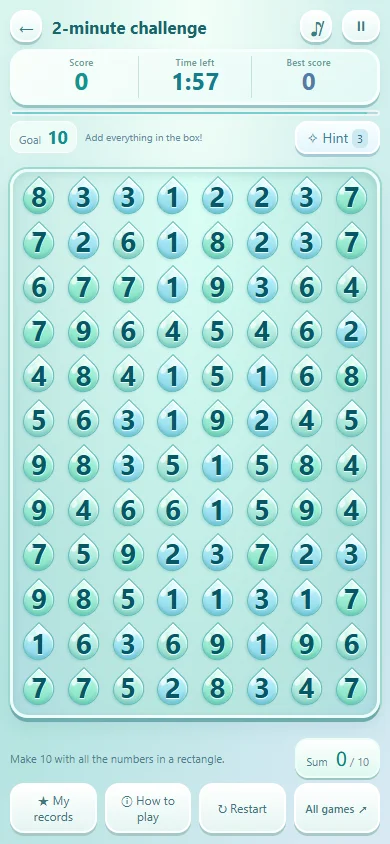
Add the whole rectangle
Drag from one corner to the opposite corner. Every number inside the rectangle counts. Selecting 4 and 6 with a 3 between them totals 13 and cannot clear. If they are adjacent, or the middle cell is already empty, the total is 10.
Empty cells count as zero
Cleared cells stay empty and only refill when no tens are left. A row containing 2, an empty cell, 3 and 5 totals 10. You must include the 3 between the endpoints. After clearing a region, look again for larger rectangles passing through the empty cells.
Try a small example
Tap two opposite corners to select a rectangle. All numbers inside must total 10. A dot means an empty cell (zero).
Show a worked solution
The whole top row totals 2+0+3+5=10. It clears three numbered cells for three points. The 1 and 9 at the left of the next row give two points. Empty cells add no points.
Ten is the target, not the score
You score one point per nonempty cell cleared. A 1+9 pair gives two points; 2+3+5 gives three. Empty cells add neither value nor points. Choosing more numbers with the same total can therefore earn more points.
Practice and timed play
Start with untimed Practice to learn selection. The 2-Minute Challenge starts with 120 seconds and three hints. When no rectangle totals 10, the empty cells refill with new numbers, so play continues until time runs out. The Daily Puzzle uses the same 2-minute rules on a board shared by everyone. Use a hint to locate a currently valid rectangle.
A search order to try
Check adjacent pairs 1+9, 2+8, 3+7, 4+6 and 5+5, then wider rectangles and groups of three or more numbers. Clearing a corner is not always best: each removal changes the totals of surrounding rectangles. Recheck the changed area after every move.
Controls
Drag and release using touch or mouse. On a keyboard, move with arrow keys, extend with Shift+arrow, confirm with Enter and cancel with Escape. Check every number inside the highlighted region before confirming.
50-tile speedrun and board size
The speedrun measures time to clear 50 numbers. Stopping early does not save a completed speedrun record. Desktop uses 160 cells and mobile uses 96; check the board-size label. Personal records are separated by mode and board size.
Frequently Asked Questions (FAQ)
Q. Does Make Ten end when no tens are left?
A. Not anymore. Since v1.0, a stuck board refills its empty spaces with new numbers, including tens you can clear right away. Timed rounds continue until the clock runs out.
Q. How many times can I play the Daily Puzzle?
A. As often as you like, but only your first finish each day counts as the official score and for your streak. If you like, post it to the daily ranking with just a nickname; the server replays the board to confirm your score.
Q. What is the best strategy when running out of hints in Make Ten?
A. Check adjacent pairs first, then larger rectangles and regions crossing empty cells. Starting at a corner is not always better.
Player Tips
Share your secret strategies or record-breaking tips with other players!